
Activation and access
Open Access to choose what starts a system and who can use it.
Get started
Open Access to choose what starts a system and who can use it.
| Activation | Starts when |
|---|---|
| Prompt | A player uses the interaction prompt |
| Proximity | A player enters the configured distance |
| Region | A player enters your selected region part |
| Pressure | A player or your selected object is above the plate |
| Timer | The configured interval passes |
| Event | A connected mechanism finishes its movement or changes its light state |
Region, proximity and pressure react to entry. Remaining inside does not continuously restart the action. Leave and enter again to activate it again.
Use your own pressure plate
Select the plate in Explorer, then assign it in Access. Choose Players or select the object that should activate it. The plate's size and orientation define its active area. You can use your own plate mesh or an invisible trigger part.
Require a key, team or state
Add a condition for a key Tool, a team or another mechanism's state. All requires every condition. Any requires at least one. A key can match its Tool name or its VI_Key attribute.
Timer and mechanism events do not have an activating player. Use state conditions for these triggers. Key and team conditions need a player.
Make an ordered puzzle
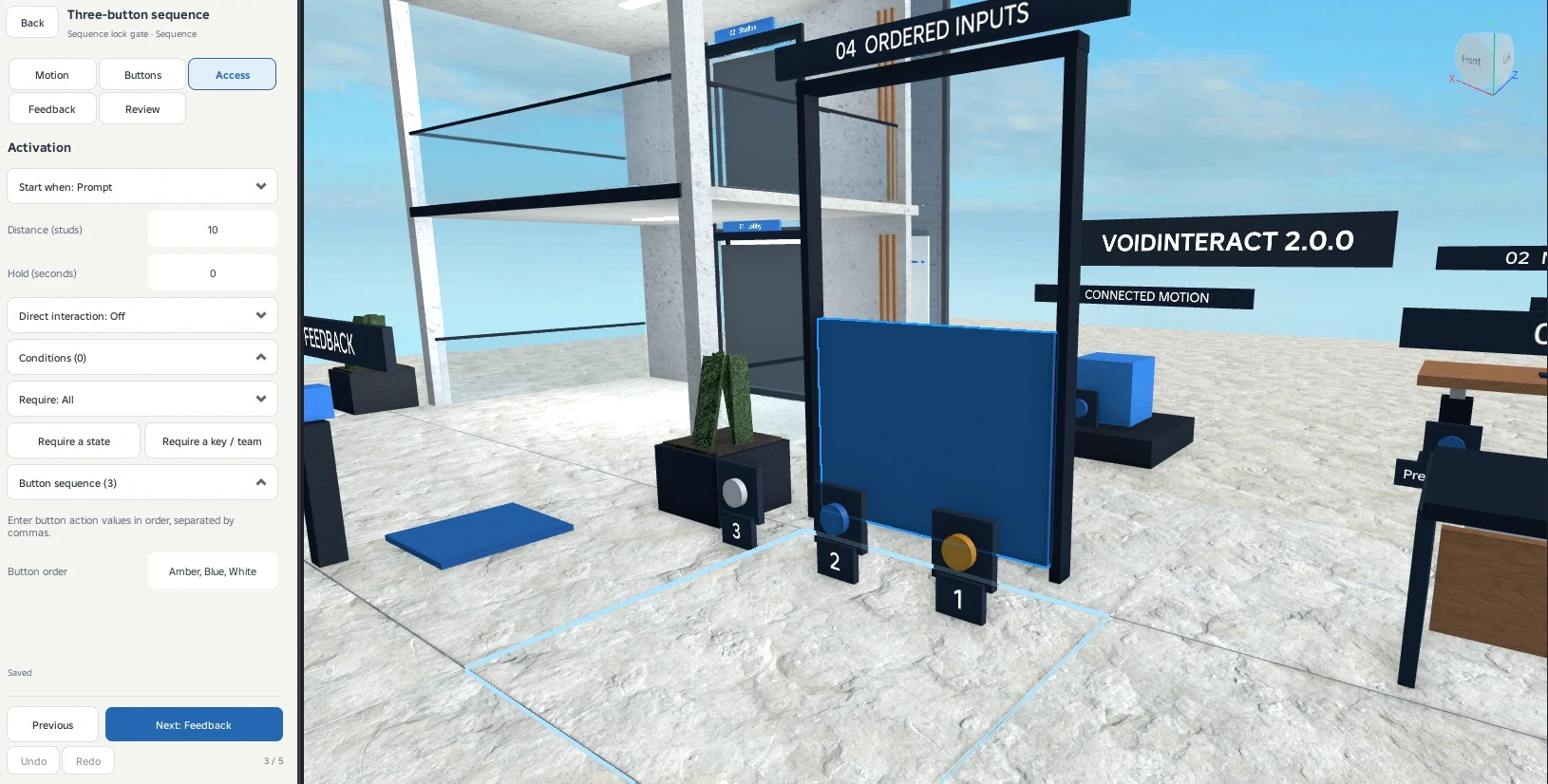
Give each connected button an action name, such as A, B and C. Add those names to the required order. The mechanism runs when the sequence is completed. An incorrect input restarts the order. If that input is the first required action, it also begins a new attempt.
The moving system and buttons can use different models and shapes. Button movement and indicators are configured separately in Buttons.