Selection and viewport controls
Keep the moving object, editing point and current result clear.
Choose the right behavior
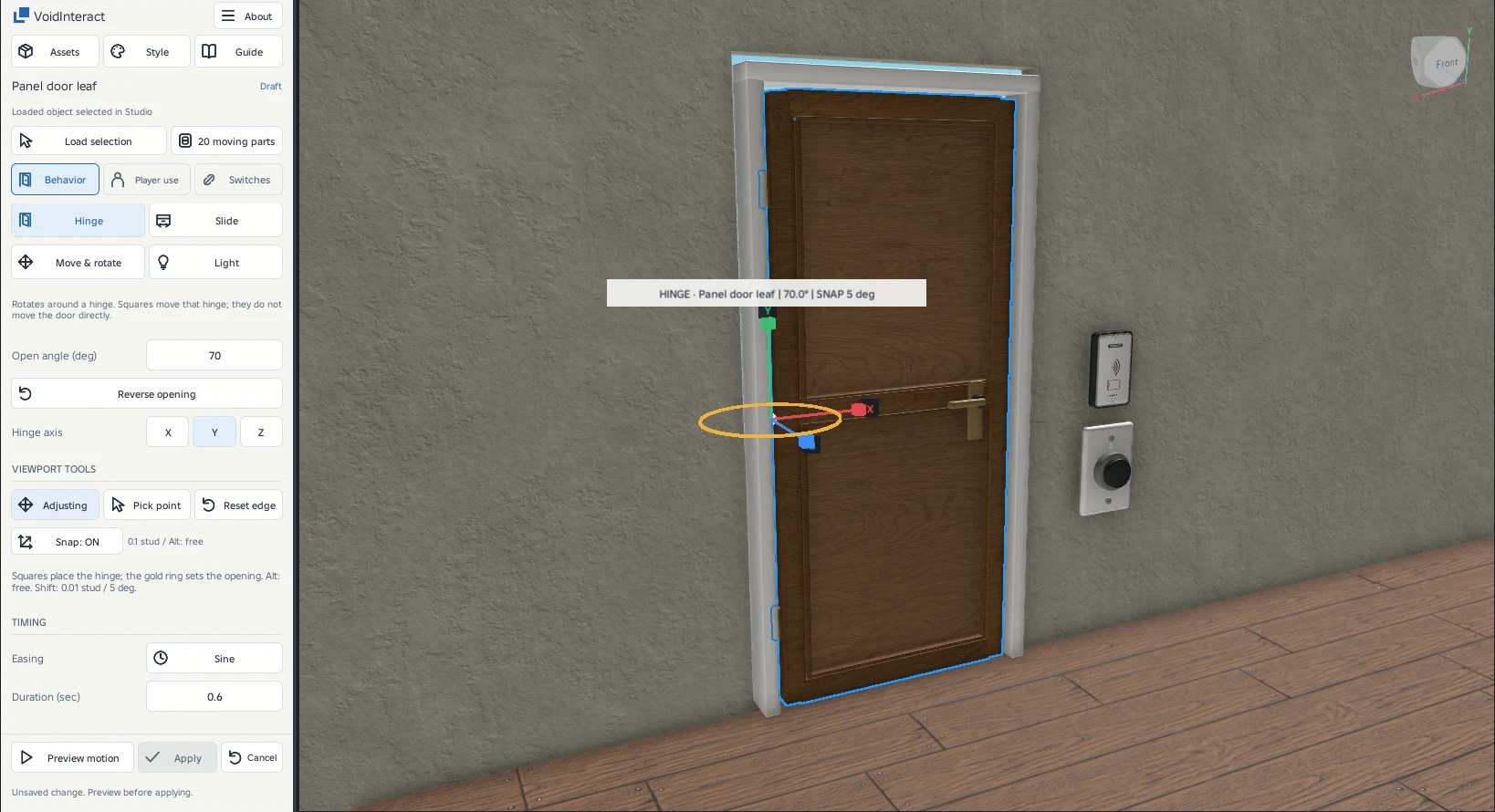
Rotate around an edge: doors, windows and lids.
SlideMove straight without rotating: drawers and panels.
Move & rotatePlace an end pose for a prop, combining travel and turning.
LightSwitch the lights inside an assembly on or off.
Selection and moving parts
| Control | What it changes |
|---|---|
| Load selection | Loads the selected Part, MeshPart or Model. Saved moving objects show their adjustment handles immediately. |
| Moving parts | Lists the assembly members. Add or remove members without including the fixed frame. |
| Current object and status | Identify the loaded target and whether it is saved, being edited, paused or ready to apply. Selecting another object does not silently apply the current draft. |
The three task tabs
Header shortcuts
| Control | What it changes |
|---|---|
| Systems | Build routes, states, groups, elevators and player drag interactions. |
| Style | Open place-wide Appearance with its own draft and Apply. |
| Guide | Read the workflow help. |
| About | Find documentation/community links and Update place scripts. |
Preview and save
- Preview motionReview the full path on a temporary ghost. The original stays at its authored start.
- ApplySave the reviewed behavior. Changing motion requires a fresh preview.
- CancelDiscard the motion draft. Appearance has its separate Revert and Apply to place.
About and place maintenance
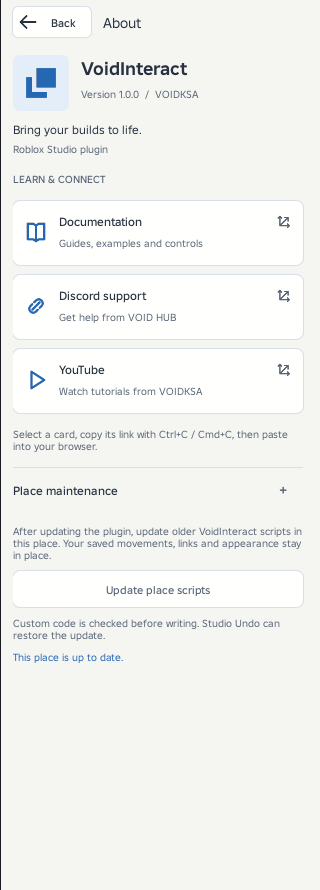
About brings together the plugin version, documentation, Discord support and YouTube. Select a resource card to reveal and select its link, then copy it into your browser.
Expand Place maintenance after updating the plugin. Update place scripts updates compatible older VoidInteract code in the current place using the installed plugin. It keeps saved movement settings, links and appearance. This button does not download a plugin update.
An up-to-date place shows its status and disables the button. A new place gets the required scripts when you first Apply a behavior. Stop Play before updating. Modified code is checked before any write. Unsupported custom changes block the update. Studio Undo can restore it.