
Supported assemblies
The moving selection is explicit. Arbitrary combined geometry cannot be automatically separated.
Parts, MeshParts and Models
A selection may be a BasePart, MeshPart or multi-part Model with 1 to 200 moving parts. A Model pivot or a Part PivotOffset defines the local coordinate system. All moving parts must be anchored.
Imported meshes need individual checks: visible surfaces and collision geometry can differ. Preview the complete movement and test it in Play.
Separate moving and fixed geometry
Split a combined door-and-frame mesh in your modeling tool. The plugin cannot infer which triangles should move. Do not include the cabinet carcass with its drawer, or the window frame with its sash.
Existing systems
Script-bearing and jointed moving assemblies are rejected. Other scripts elsewhere in your game may still move or alter the same object. Compatibility with arbitrary existing systems is not promised.
Create a moving assembly
Select the leaf, handle and inserts that should move together. Select Group selected. This explicit action creates a visible Model and preserves world positions and nested model structure. Selecting a Model together with its child counts that child once. Leave the fixed frame outside your selection. The plugin does not guess which geometry is fixed.
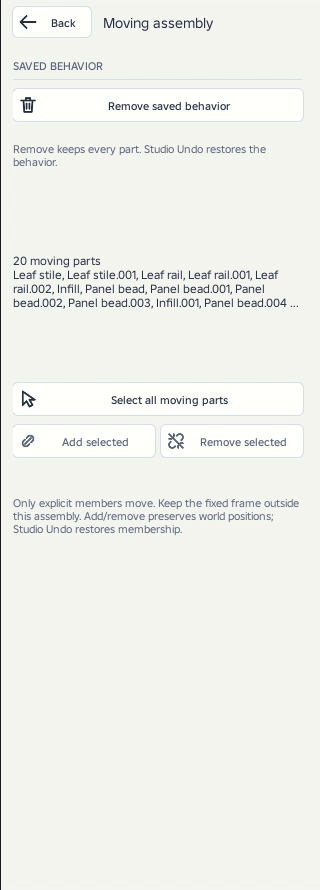
The member summary lists moving parts. Select all moving parts highlights the complete set. For a managed assembly, select separate objects and choose Add selected, or select members inside it and choose Remove selected. Removal returns a remembered top-level member to its original parent when available, otherwise beside the assembly. At least one part must remain. Membership changes are Studio Undo steps. Preview again afterward.