
Exercise: sliding drawer
Build a working drawer from a small assembly and verify the closed position.
Prepare
- The practice drawer is already configured. To author it from scratch, load SlidingDrawer and use Moving parts > Remove saved behavior first. Geometry remains.
- Select SlidingDrawer, not Cabinet. Check that the tray sides, back and base belong to the moving Model.
Configure and review
- Load selection. Load the drawer and inspect its member list.
Check: The cabinet sides, divider, lower doors and countertop are excluded.
- Slide. Choose Slide on the Behavior page.
Check: Hinge angle and axis controls are replaced by Travel X, Y, Z.
- Show handles. Drag an endpoint axis handle outward from the cabinet.
Check: The line connects the original closed pivot and the open goal.
- Travel X, Y, Z. Enter 0, 0, -2.35 for this room orientation.
Check: The open tray remains partly supported by the cabinet.
- Duration (sec). Use 0.65 seconds. Choose the desired Easing.
Check: The motion is readable without an abrupt jump.
- Preview motion. Inspect the top, sides and pull through the whole travel, then Apply.
Check: All eight moving members follow. The cabinet stays fixed.
Expected result
The front, pull and full tray move as one assembly and return to the exact closed pose.
Practical limits
- Travel is relative to the loaded object pivot, not a universal world direction.
- This is anchored motion, not a rider elevator or physical rail simulation.
Three nearby drawers
Each drawer should be a separate moving assembly, with its front, pull and tray together and the cabinet kept fixed. Configure and test each drawer independently. Leave enough clearance around the entire tray throughout its movement.
Leave space to use the drawer
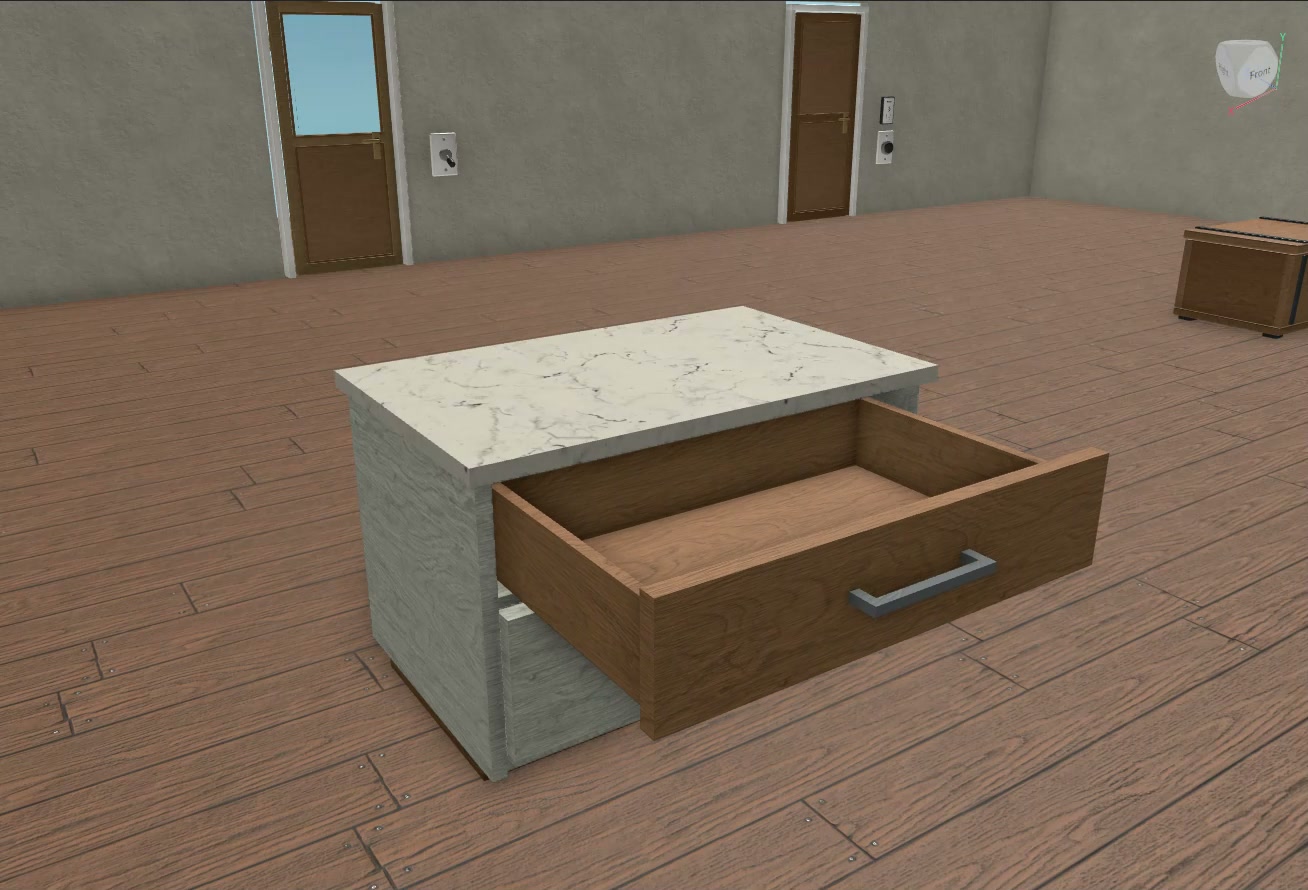
Keep the cabinet fixed and include every part of the tray in the moving assembly. Test clearance around a player.